
Most people outside design think the work is about making things look good.
That's part of it. Aesthetics matter: they signal quality, build trust, and make content easier to engage with. But they're not the whole job. Not even close.
Ask anyone who's designed a case study for an IT company and they'll tell you: looking good is where the work starts, not where it ends. First, you worry about whether the story fits, whether the numbers are readable, whether the client's brand colors hold up across eight pages, or whether the icon you chose for "cloud migration" actually means cloud migration to someone in infrastructure.
That's the work. You won't see it in the final file, but you'll feel it. In how easy the case study is to read, how quickly the emailer lands, and how consistent the whole library looks.
And the impact is measurable.
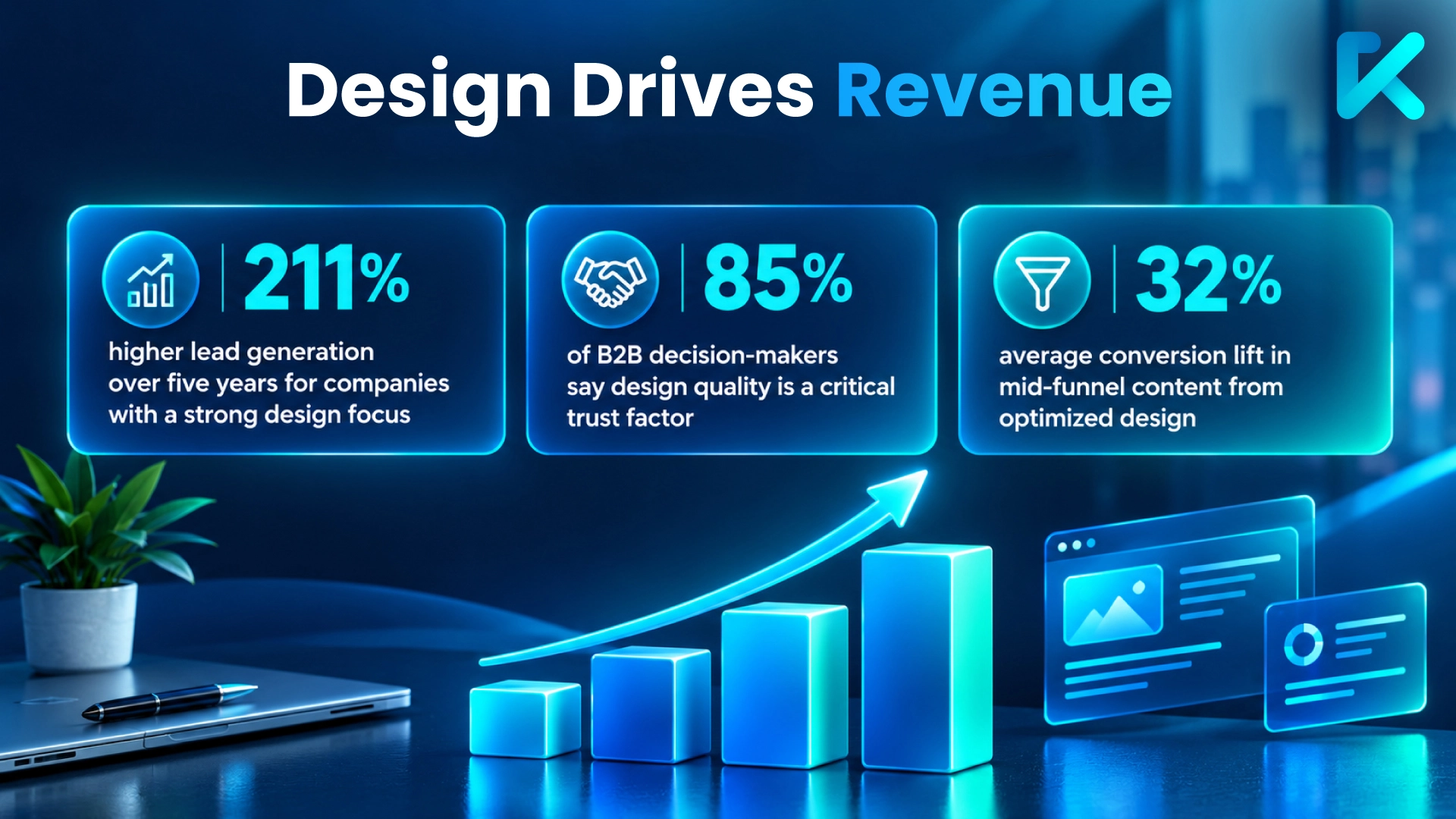
Here's what it actually involves and why it takes longer than most teams expect.
What "design" actually includes in B2B tech
When a B2B tech company asks for design, they usually mean one of these:
- A case study that has to fit a complex 12-month engagement into four pages
- A brochure that has to cover six service lines without looking cluttered
- An emailer that has to be scannable in five seconds on a phone
- A one-pager that has to summarize a product or service without losing the technical depth
- An in-blog graphic that has to explain a multi-step process in one image
- A cover image that has to signal the right message to the right stakeholder
- A whitepaper or ebook that has to carry 30 pages of technical content without losing the reader
Each of these has its own constraints. None are purely visual problems; they're all decisions.
Take the emailer. It looks like the simplest asset on this list — one page, a few lines, a button. But it's the hardest to get right. There's no room to build context. The subject line and the first three words have to do the work. And it has to read well on a phone, in a crowded inbox, in five seconds.
That's not really a design problem; it's a decision problem, and it starts before anyone opens a design tool.
What design work actually looks like
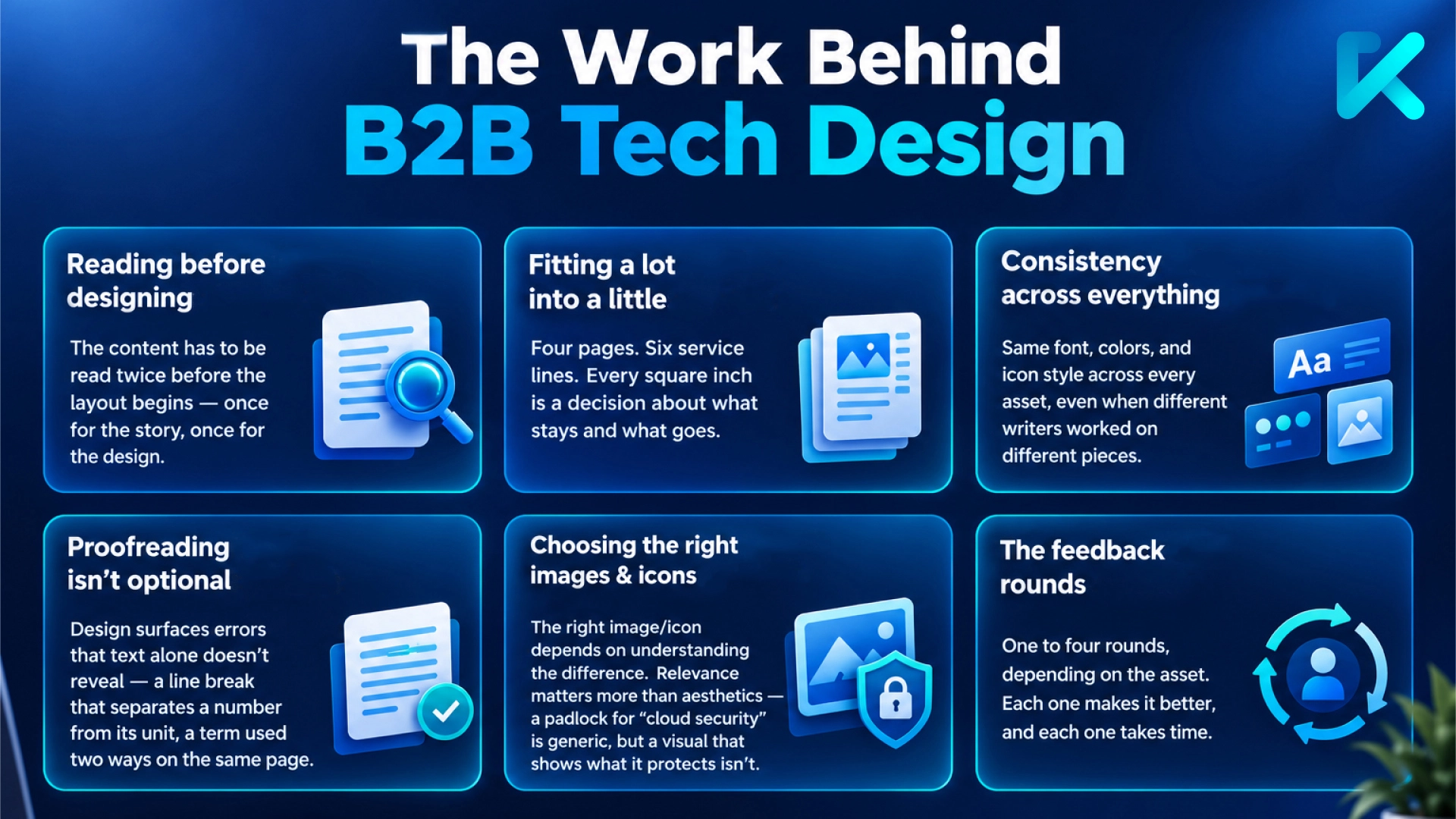
Reading before designing
You can't design a case study until you've read it at least twice. The first read is for the story — what happened, what changed, what the client achieved. The second read is for the design: what needs to be a pull-quote, what needs a chart, what needs to be cut because it slows the page down.
The same applies to a whitepaper. Thirty pages of technical content have to be structured before it's styled — where the section breaks fall, which diagrams carry the argument, where the reader needs a breather. The design impact really starts when the reading does.
Most design briefs don't include this step; it's assumed. But it's the difference between a case study that reads well and one that just looks like a case study.
Fitting a lot into a little
A four-page case study has to include: the client, the overview, the challenge, the approach, the results, and a quote or two. That's a lot for four pages.
The work isn't just placing the text. It's deciding what to emphasize, what to shrink, what to pull out as a callout, and what to move to a sidebar. It's knowing that the results section needs more space than the challenge section because that's where the buyer will spend time.
The same problem shows up in a one-pager. A single page has to carry the product, the benefit, the proof, and the next step. Deciding what earns a spot and what gets cut is the design work. The layout is just where it lands.
Consistency across everything
A single case study has to hold together. But so does the whole library — case studies, brochures, PPTs, emailers, one-pagers, in-blog graphics, cover images, whitepapers, ebooks, all of it.
That means:
- Same font family across every asset
- Same color palette, even when the client's brand has 12 approved colors
- Same icon style — outlined, filled, or illustrated, but never mixed
- Same header and footer structure
- Same voice and tense in the copy, even when different writers worked on different assets
This is where most inconsistency creeps in. Because consistency isn't one decision. It's a hundred small ones, repeated every time.
Take a set of LinkedIn posts. Each one looks fine on its own. But when a prospect sees three in a row, the mismatched icon weights and drifting font sizes become obvious. Nobody notices until they see them together, and then the whole series looks unfinished.
Proofreading isn't optional
Designers who work on IT/ITeS content end up proofreading, even when it's not in the brief. Because you can't place text without reading it. And when you read it, you notice things:
- A font size that makes a 40-word paragraph look like a 70-word one
- A line break that separates a number from its unit
- A hyphen where there should be a dash
- A term used two different ways on the same page
None of these are design errors. They surface when you place the content. They still have to be fixed before the asset goes out.
This matters most with short assets. An emailer has no room to recover from a typo — there's nowhere to hide it. Every word is on display, and every error is visible in the first five seconds.
Choosing the right icons and cover images
This is where understanding the concept matters. An icon for "data modernization" isn't the same as an icon for "data migration." A cover image for a CFO isn't the same as one for a CTO.
It's also about relevance. A padlock for "cloud security" is generic — every vendor uses one. A visual that shows what the security actually protects, or what happens without it, lands differently. A stock photo of a data center for a whitepaper about cloud optimization tells the reader nothing they didn't already know. Nearly two-thirds of marketers say their landing pages convert at under 10%, even though most look polished, modern, and technically correct.
Getting this right means reading the content, understanding the audience, and choosing visuals that land — not just visuals that look clean. An in-blog graphic has to explain a process in one glance. A cover for an ebook has to work as a thumbnail and as a full-size asset.
And that's before the feedback rounds.
The feedback rounds
An emailer usually takes one or two rounds of feedback. A case study can take two. A brochure or an ebook cover can take four.
The first round is about direction — is this the right approach?
The second is about detail — the margins, the icon, the color.
The third is about polish — the font size, the spacing, the alignment.
Each round adds time, but it also improves the asset. The work isn't avoiding feedback. It's ensuring each round has something specific to respond to.
Cover images take more rounds, not because they're harder to design but because they're the most subjective. It has to land emotionally, and that's harder to agree on. A case study has a right answer — the story either fits the page or it doesn't.
Why this matters to B2B tech teams
If you're commissioning design for IT/ITeS assets, knowing what's involved changes a lot in terms of:
- How you brief: A brief that says "make it look good" gives the designer nothing to work with. A brief that says "this one-pager is for a CTO, the proof point needs to sit above the fold, and the brand has strict color rules" gives them everything.
- How you review: Instead of "I don't like this color," you can say "this color reads as a warning signal to our buyers — can we shift to the secondary palette?" Feedback becomes specific, and rounds get shorter.
- How you budget: Design for B2B tech isn't a per-asset cost. It's a per-decision cost. The more decisions an asset needs, the longer it takes.
What good design actually does
Aesthetics matter. They set the tone, signal quality, and make content feel worth engaging with. A visually sharp case study earns attention before a word is read. An emailer that looks polished gets opened. A whitepaper cover that feels considered makes the reader more likely to open the file.
But aesthetics alone don't carry the message. The design and relevance have to make the content work — the story, the numbers, the proof. When it does, buyers notice the story more than the design. They notice how easy it was to read. They remember it as clear.
The design decisions that show
Good design in B2B tech looks intentional and works invisibly. The aesthetics earn attention while the decisions earn trust.
64% of B2B buyers are more likely to consider a brand that keeps its messaging simple and clear. If your assets are clear, consistent, and easy to act on, the design is doing its job. If they're not, it could be because the decisions behind them weren't made.
Kalpins works as much on decisions as on aesthetics. Case studies, brochures, emailers, one-pagers, presentation decks, in-blog graphics, cover images, whitepapers, and ebooks — for B2B tech companies that need design to do more than look good.
Need design that works invisibly?
If that's what you're looking for, we can assist. Get in touch with Kalpins today →